固定ページに関連記事を出力したい
固定ページだけで作成したり、一部固定ページで作る場合もあると思います。
そんな固定記事でも、カテゴリごとに関連記事が出るようにしてみます。
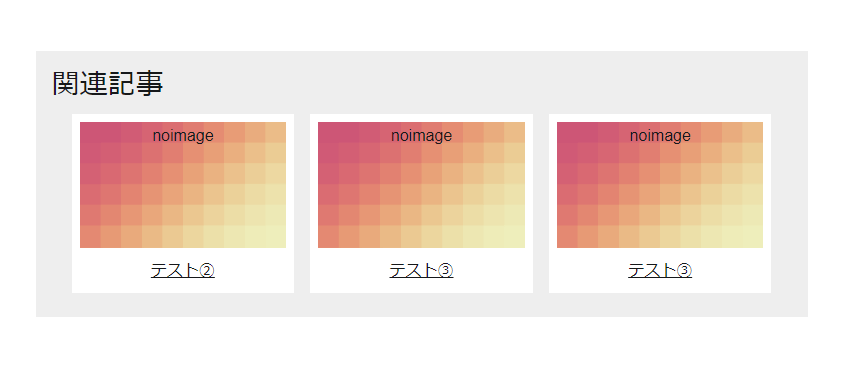
※固定ページが、カテゴリ分けされている場合のみ同カテゴリの関連記事が出ますので、
カテゴリ分けがきちんとされているかご確認ください。
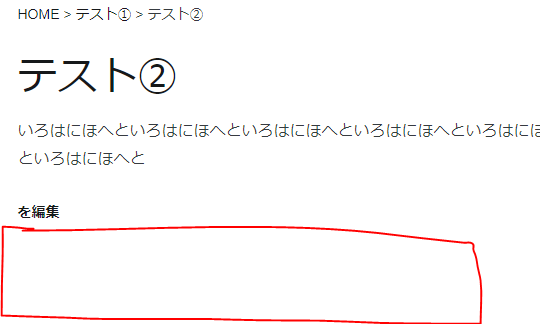
入れる場所のイメージ
page.phpのメインコンテンツの閉じタグ手前に入れましょう。
または、フッター直上にしてもいいと思います。
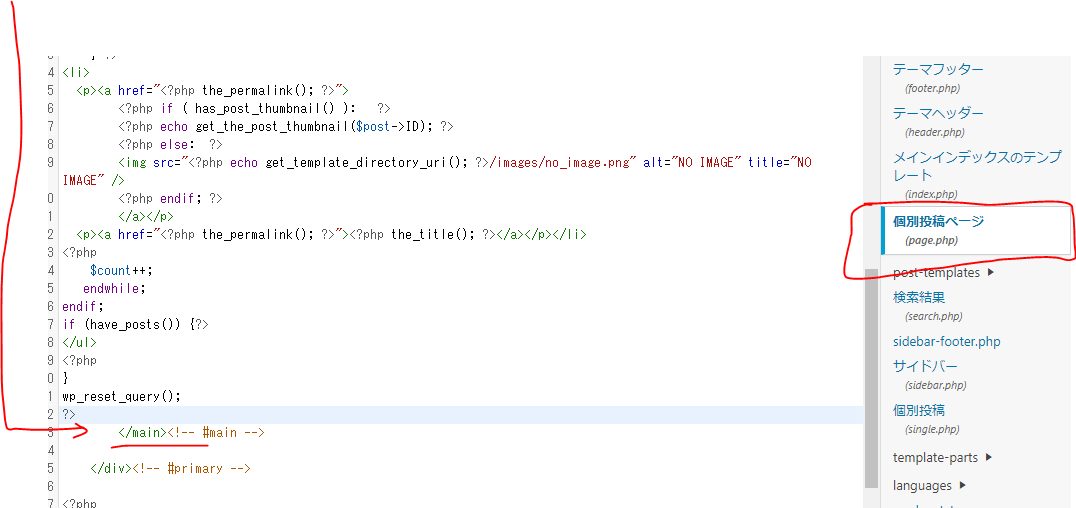
固定ページの関連記事リストを呼び出すソース
リストのイメージはこんな感じになります。
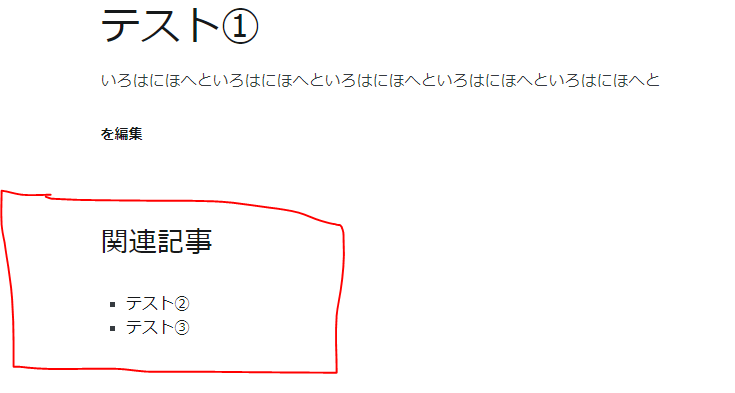
page.phpの下部に以下を追加します。
<?php
$parentId = get_the_ID();
$args = 'posts_per_page=-1&post_type=page&orderby=menu_order&order=asc&post_parent='.$parentId;
query_posts($args);
if (have_posts()) { ?>
    <h3>関連記事</h3>
    <ul class="lower-page">
<?php
}
if (have_posts()) :
  $count = 1;
  while (have_posts()) :
    the_post();
    if ( ( $count % 2 ) > 0 ) {
        $layout = 'odd';
    } else {
        $layout = 'even';
    } ?>
<li><a href="<?php the_permalink(); ?>"><?php the_title(); ?></a></li>
<?php
    $count++;
   endwhile;
endif;
if (have_posts()) {?>
</ul>
<?php
}
wp_reset_query();
?>
画像付きの関連記事を入れる
サムネイルがない場合にnoimage画像を出すようにしています。
「https://ドメイン/image/お好みの画像.png」の箇所は、noimage用の画像を用意して変更してください。
<?php
$parentId = get_the_ID();
$args = 'posts_per_page=-1&post_type=page&orderby=menu_order&order=asc&post_parent='.$parentId;
query_posts($args);
if (have_posts()) { ?>
<div class="kanren">

    <h3>関連記事</h3>
    <ul class="lower-page">
<?php
}
if (have_posts()) :
  $count = 1;
  while (have_posts()) :
    the_post();
    if ( ( $count % 2 ) > 0 ) {
        $layout = 'odd';
    } else {
        $layout = 'even';
    } ?>
<li>
  <p><a href="<?php the_permalink(); ?>">
        <?php if ( has_post_thumbnail() ):   ?>
        <?php echo get_the_post_thumbnail($post->ID); ?>
        <?php else:  ?>
        <img src="https://ドメイン/image/お好みの画像.png" alt="NO IMAGE" title="NO IMAGE" />
        <?php endif; ?>
        </a></p>
  <p><a href="<?php the_permalink(); ?>"><?php the_title(); ?></a></p></li>
<?php
    $count++;
   endwhile;
endif;
if (have_posts()) {?>
</ul>
</div>
<?php
}
wp_reset_query();
?>
画像付き用のcss
ブレイクポイントを600pxのタイミングで画像幅を100%にしていますが、
サイトに合わせてタイミングを調整してください。
今回は3記事横並びになるようにしていますが、.kanren liのwidthで「3」のところを変更したら4つ並べたりもできます。
.kanren p {
  margin-bottom: 0;
}
.kanren li {
    list-style: none;
    width: calc(100% / 3 - 1.5rem );
    margin: 0.5rem;
    background: #fff;
    padding: 0.5rem;
}
.kanren ul {
    display: inline-flex;
    margin: 0;
    justify-content: center;
}
.kanren p a {
    text-decoration: underline;
    text-align: center;
    display: block;
}
.kanren {
    background: #eee;
    padding: 1rem;
}
.kanren h3 {
    margin: 0;
}

@media screen and (max-width: 600px) {
.kanren li {
    width: auto;
    max-width:100%;
    display:block;
}
.kanren ul {
    display:block;
    box-sizing: content-box;
}
}
注意点
カテゴリ分けがされている親ページのみに出力されるようにしています。
親ページの設定は、固定記事の右側に出てきますので、指定を忘れないようにしてください。
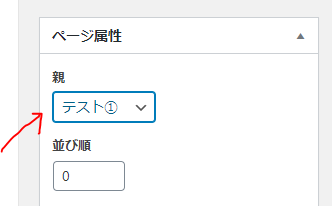
テスト①を親にして②、③を子にしています。
そのため、②や③では関連記事の出力がありません。